
This is a YouTube video comparing several popular E-readers it wraps up with a show-down between The Kindle 2 and The Nook. It is about half an hour in length, but is of interest because it shows the different way you accomplish different tasks on The Nook and on the Kindle. I am pleased to see that the Kindle sweeps the competition (since I own one and am unlikely to spend a wad of money on another e-reader anytime soon.) I also actually learned 2 capabilities that I did not know about (ability to search Wikipedia being one of these.)
I found this video at The Reading Edge Podcast Blog
Showing posts with label Kindle. Show all posts
Showing posts with label Kindle. Show all posts
Wednesday, August 18, 2010

Saturday, August 7, 2010
I Still Love My Kindle
Sometime in June an update to the Kindle 2 operating system was released, included in the update was the ability to share highlights over Twitter and/or Facebook.
This new feature allows me to share passages on Twitter (or Facebook if I want.) This particular passage I wanted to share with my brother, who isn't on Twitter:
I highlighted the passage, clicked to share on Twitter and off it went! It looks like this:

Tweet Link
Twitter linked to the passage of text I wished to share (and now I have a link to it that I can email to my brother.) The quote must have a limit as to lenght as the final word is missing, the last line should read "shortly after."

Link to Quote
Isn't that cool!
This new feature allows me to share passages on Twitter (or Facebook if I want.) This particular passage I wanted to share with my brother, who isn't on Twitter:
I highlighted the passage, clicked to share on Twitter and off it went! It looks like this:
Tweet Link
Twitter linked to the passage of text I wished to share (and now I have a link to it that I can email to my brother.) The quote must have a limit as to lenght as the final word is missing, the last line should read "shortly after."
Link to Quote
Isn't that cool!
Friday, December 11, 2009
I Got a DROID - Apps
last updated 10:45 Wed. June 30, 2010

I got one of those new DROID phones and I loved it immediately. I got it on November 7 so I have had it for awhile and the longer I have it the MORE I love it.
 I had a Palm Treo previously (It was a 3 year old model) and I hated it - it was the stupidest smart phone ever. It didn't have basic functions that I had on basic phones in the past... but I also didn't get the Internet hooked up to it. So the DROID is my first Internet surfing, emailing - all around phone.
I feel like I have a computer in my pocket, I'd say I spend less than HALF the time I used to on my laptop. Motorola DROID is on Verizon and uses the Android Operating System (developed by Google) I'm not going to be a DROID commercial... but I have wished I could find a resource for recommendations of applications to use on my DROID so in hopes other bloggers will begin to do the same, I am going to list the apps that I like and use....


Update 6/30/10 This app is now available in the Android Market. It is $29.99 and I plan to get it! (but due to some home network internet issues, I need to reconfigure my Sling box - as soon as I have it set up again I will be getting this app!)
Slingbox for Android
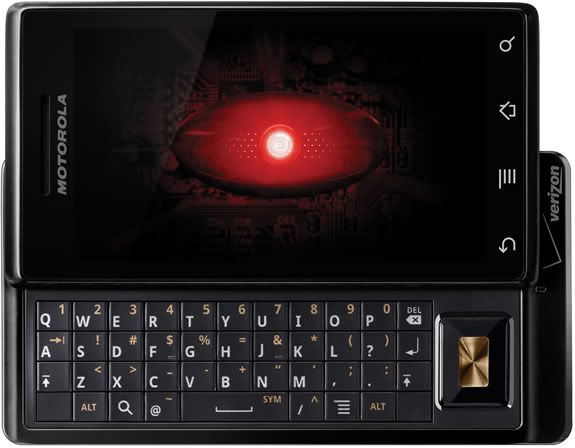
I got one of those new DROID phones and I loved it immediately. I got it on November 7 so I have had it for awhile and the longer I have it the MORE I love it.
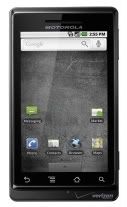 I had a Palm Treo previously (It was a 3 year old model) and I hated it - it was the stupidest smart phone ever. It didn't have basic functions that I had on basic phones in the past... but I also didn't get the Internet hooked up to it. So the DROID is my first Internet surfing, emailing - all around phone.
I feel like I have a computer in my pocket, I'd say I spend less than HALF the time I used to on my laptop. Motorola DROID is on Verizon and uses the Android Operating System (developed by Google) I'm not going to be a DROID commercial... but I have wished I could find a resource for recommendations of applications to use on my DROID so in hopes other bloggers will begin to do the same, I am going to list the apps that I like and use....
Apps I Use

Pandora - Internet Radio
A streaming custom radio station - how did I not know about this, before?! I haven't bothered loading any music on my phone because Pandora is so great and so EASY to use! Robert has satellite radio in his car & he gets a little annoyed that I would rather listen to Pandora over the car stereo (linked thru the headphone jack) than his fancy satellite radio. You can also use Pandora on your PC http://www.pandora.com/

Pandora - Internet Radio
A streaming custom radio station - how did I not know about this, before?! I haven't bothered loading any music on my phone because Pandora is so great and so EASY to use! Robert has satellite radio in his car & he gets a little annoyed that I would rather listen to Pandora over the car stereo (linked thru the headphone jack) than his fancy satellite radio. You can also use Pandora on your PC http://www.pandora.com/
update 12/22/09
I like Shazam for helping me identify and tag songs that I hear when I am out and about (or on TV.)
BeyondPod
BeyondPod is an app for listening to podcasts. I set up the podcast subscriptions right on my phone and Beyond Pod can pull direct to my phone right thru the Internet. It's set me free from iTunes sync bondage (and also freed me from having to wear headphones!) I tried a few different apps for this (including Google Listen) before settling on BeyondPod. Ultimately it came down to a few podcasts I listen to which require a user password for access to the feed and Beyond Pod has the ability to handle that in the setup. It also pauses the podcast when I have an incoming call. BeyondPod can also sync with Google Reader, but at present I have only used it for podcasts. This is the only paid app I have right now.There is a free version but I bought the unlock code for the full app on Black Friday when it was half price.

Ustream Viewer Beta
I just loaded this today and it WORKS! Yay now I can take my ustream live shows with me! Search for the show name instead of putting in the website address. It stops the stream (doesn't close the app) if you try to do another task that takes you away from the screen, or if you put the screen to sleep. I'm not sure if its meant to work this way because it needs the resources to run, or if this is because its Beta.
Barcode Scanner
Incredible app uses camera to scan barcode & gives you comparison prices on several websites also can use to search some books will give page # of content you searched for - has been wonderfully handy for Christmas Shopping --while in Target - Ooo! Walmart has this for $5 cheaper!
Update 1/4/10 
Seesmic
Today I tried out Seesmic a Twitter app that also has a desktop Twitter Client that is well spoken of. I LOVED it. It has a wonderful interface and I could do things with lists and profiles, and search for users so much better, even better than the desktop Twitter Client I currently use (TweetDeck.) I'm still using Twidroid for day-to-day tweeting because Seesmic does not yet have the ability to remember my place with the last tweet I read... this feature is supposed to be coming soon- when it does I expect to switch over completely. I didn't uninstall Seesmic because I will still use it for lists & the user searches. Here is an article that does a wonderful job of describing all the features complete with screen shots. http://blog.appboy.com/2009/12/seesmic-finally-makes-twitter-usable-on-android/
Would it make you discount my opinions if I say that I'd so much rather look at Seesmic's cute Icon than Twidroid's ugly one?

Update 12/22/09
Twidroid
I'm now using the free version of Twidroid instead of ITweet because it allows me to view lists. It also has a "conversation" option on Tweets which shows me a threaded conversation. This is real handy when sometimes I can not figure out which tweet someone was responding to! I think I prefer this to Tweet Deck because of this feature! I wish they had a desktop version!
http://twidroid.com/features/
ITweet! (see note above about Twidroid & Seesmic)
The twitter app I'm using it works well enough. It allows me to see my full feed, just my tweets, just replies, just sent direct message, just saved direct messages.... I liked this app as I wanted to be sure to see @replies and direct messages as I follow a lot of people
Facebook
came loaded on the phone
Update 12/23/09
Fandango - I think this is a recent release... Fandango showed me which show times of Avatar were playing in 3D and which were on IMAX - the Flixter app below did NOT show me that and we ended up seeing it in a normal (not even 3d theatre.)
Movies by Flixter (see notes above in Fandango)
Find local movie times, read reviews, watch trailers. Also section for Coming Soon & DVD. Trailers are great for entertaining my child in restaurants.
Yelp
for finding restaurants & businesses in your vicinity - I like this better than "Where"
Star Wars Sounds and Ringtones
Like a soundboard, fun to play with - could occupy my 11-year-old all day long
Google Sky Map
Fun to play with hold it up and move it around, screen displays star chart based on phone location so you can identify stars, planets etc... Have also used it to find the moon during the day. Also displays stars you can't see because they are below the Horizon.
The Weather Channel
See current weather conditions option to add several locations - see current, 36 hour and 10 day forecast - I used this to monitor the snow forecasts for flight day and on my trip to Oklahoma City. It was very handy!
Note pad
Would like to find a better one, if screen times out before I back out... it won't save edits - very annoying as I keep grocery list on my phone!
Evernote
I have this one installed but so far it hasn't worked for any of the things I wanted to do from my phone (I couldn't edit my grocery list on my phone to mark off stuff as I shopped. And I couldn't save a web page that I wanted to go back to later.) I'm new to Evernote... so perhaps I'll figure out some things its good for... my Twitter friends rave that its wonderful, just seems like the mobile version can't do any of the things I want it to do.
SuperYatzy
Addicting. You can play 2 player with a friend or play against the phone
WordUp!
A word scramble game
Word Search
Word search game
Tetrads
Tetris type game.
Apps I want to see developed for Android: (so I can use them)

Update 6/30/10 Kindle for Android released today!!!!! I have it loaded, and plan to play with it while I eat breakfast!
Kindle for Android
My greatest wish is for a KINDLE app that will allow me to read my Kindle books on my phone. I really hope that Google's association with the Barnes & Noble Nook is not going to get in the way of Android having an Amazon Kindle app. I own a Kindle, I love it - I'd love to be able to access the Kindle Content I own, from my phone.
Kindle for PC is available Now: http://www.amazon.com/gp/feature.html/ref=kcp_pc_mkt_lnd?docId=1000426311

Tweet Deck for Android (no longer wishing for this see Twidroid & Seesmic above)
My 2nd greatest wish is for a better Twitter App. If Tweet Deck would come out with an app for android that would remember which tweets I have already marked as seen and cleared from my desktop - that would be WONDERFUL. I'd settle for an Android Twitter app that would allow me to make columns or groups so that when I'm busy I can just view updates of my best friends... at this point I am sometimes missing them in the crowd.
Tweet Deck for PC Now: http://www.tweetdeck.com/features/index.html
Tweet Deck for PC Now: http://www.tweetdeck.com/features/index.html

Update 6/30/10 This app is now available in the Android Market. It is $29.99 and I plan to get it! (but due to some home network internet issues, I need to reconfigure my Sling box - as soon as I have it set up again I will be getting this app!)
Slingbox for Android
We have a slingbox. It's hooked up to our home DVR/cable box. Basically a slingbox makes it so that I can watch my home TV content over the Internet. I can watch shows recorded on the DVR, I can watch live TV, I can even watch programs on demand. This makes Robert a rock star when he is watching... say, the NBA finals on his laptop in the airport. It's very cool for a business traveler... and it would be very cool for a Mom stuck in traffic to hand off on her phone to an antsy child in the back seat.
Info About Slingbox: http://www.slingbox.com/go/slingbox
Friday, June 26, 2009
Jane Austen & Zombies - Wait for the Movie
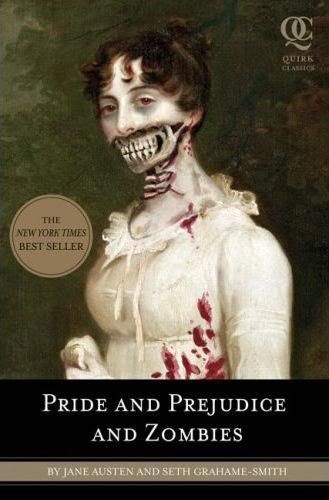 One of the top sellers (#46) in The Kindle Store is
Pride and Prejudice and Zombies: The Classic Regency Romance - Now with Ultraviolet Zombie Mayhem ! by Jane Austen and Seth Grahame-Smith.
This book came to my attention several months ago and since Pride and Prejudice was for many years my very favorite book in the world (I think it's Persuasion, now) I thought reading it might be very good fun.
Having learned my lesson (Something to read at the beauty salon) I downloaded the Kindle sample, although I was quite confident this is not a book I've read before. The first sentence in I was hooked. "Oh this is going to be fun!" I thought to myself. By the second page I was annoyed. It took until about page three until I could not bear to read another word. I immediately deleted the sample from my Kindle - it was that annoying!
Perhaps this book might be entertaining to fans of Jane Austen movies, or people who have read the real Pride and Prejudice only a time-or-two... but it was driving me up the wall. There were Jane Austen's very words (or very close) with only a word or two inserted here and there about zombies. It was annoying, the flow and the music were all messed up. I'd rather read the original. If they were going to tell the same story in different words I might have enjoyed it.... and perhaps it got better, but I couldn't torture myself any longer to find out.
Now there may be a place for this book in the world. I know a lot of people who LOVE Jane Austen (movies) but would never read one of her books & even some who have disdain for her books.... I will never comprehend this, but I am resigned to it. It takes all kinds to make the world go around & there are some books that I will never read no matter how well recommended so I have to shrug and accept it as another form of the same. I'm not a purist, I read all kinds of Jane Austen knock-offs and like them to varying degrees. Perhaps this book will introduce new people to the joys of Jane, but it wasn't for me.
None the less, I think the title and the fact that this book is published and being read by so many people (or at least purchased by a lot of people) to be hilarious. So here you are.... enjoy the laugh. Perhaps Joss Whedon will make a movie.

Have you read this book? Please weigh in, particularly if you liked it... I love discussion on Jane Austen topics.
Have you read this book? Please weigh in, particularly if you liked it... I love discussion on Jane Austen topics.
Thursday, May 21, 2009
Something to read at the Beauty Salon
 I have mentioned that before purchasing a book for my Kindle I can download and read a sample - usually the first chapter of the book. I have enjoyed this feature and enjoyed a few books I might not have thought to read otherwise...
Yesterday I needed to kill some time with a head full of foil at the salon... Every woman has experienced one of these price-of-beauty moments when she wants something to take her attention away from that crazy haired, Bride of the Tin Man reflection in the the glass...
So I pulled out my Kindle. Hmmm I think it is time to start on Francine Rivers' The Scarlet Thread... I have really been looking forward to reading this one! So I begin reading. Hmm a boy named Alex, that was the name of the girl's husband in that OTHER book I read years ago. Hmmm that girl's dad gave her a hard time about her boyfriend too. Gee I guess some of these novels can get pretty formulaic. Except.... the names of these children sound really familiar. read a little more this so much like that other book - but those people live in L.A. not a sleepy town up north... Lucky for me Sierra's husband decided to take the job in Los Angeles before the sample of the book runs out. Then I knew for SURE. I'm so glad I didn't buy the book because I had read it a few years ago and just didn't recognize the name (blush.) Feeling a little old, now. It did give my hair dresser and I a good chuckle and something to chat about while she washed and trimmed my hair.
So from now on, no matter how SURE I am that I want to read a book... I guess I had better download and read the sample before buying. I find I have a harder time remembering library books because there often is no cover artwork to jog my memory.
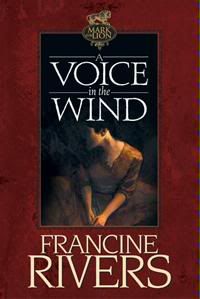
I really want to read another book by Francine Rivers since I liked the first and second books in The Mark of the Lion Series so well. I enjoyed reading A Voice in the Wind more than anything I have read in a long time. I have heard praise for Redeeming Love, but it is not yet available for Kindle so it will have to wait. I've almost settled on The Last Sin Eater.
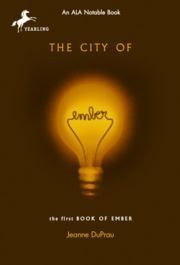 I've just complete the juvenile fiction books The City of Ember and The People of Sparks both by Jeanne DuPrau. They were both fun and I'm now reading The City of Ember to Ethan. Even though he is an avid reader on his own, He still loves being read to. I like to watch his excitement as the story unfolds, and it gives us so much opportunity for discussion.
Sunday, April 26, 2009
Love My New Kindle
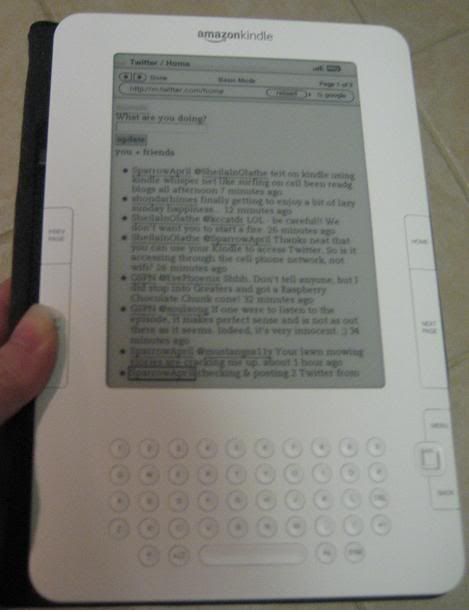
So I have mentioned it in a few blog posts and been twittering about it almost non-stop since I got my new Kindle (a gift from hubby for my birthday). I've had some emails and Twitter messages about it... so I'm going to talk about it in more specifics... I have already figured out things to do with it beyond just reading books.
So I mentioned before that Kindle is an e-book reading device created and sold by Amazon. It has a large capacity and can hold over 1,500 books. I can read for up to 4 days on a single battery charge up to 2 weeks with the wireless turned off. At present Amazon says they have more than 270,000 books available for Kindle. But it isn't the fact that it's an e-book reader that made me want one, it was finding out the ease and convenience of how it WORKS that made the difference. Disclaimer: I have a Kindle 2, which works differently from original Kindle in many ways.
EASY ON THE EYES - INDOORS AND OUT
The Kindle screen is designed to be easy on the eyes, it uses a new technology called Electronic Paper Display so you don't get eye strain the way you do with a computer monitor. The screen is not back lit so it can be read outside in daylight. This was a HUGE plus, I spend a lot of time outside watching children play. I can read the Kindle screen just as easily outside in sunlight as I can indoors.
No scrolling, when you finish the current page you don't scroll down, Kindle has next page and previous page buttons located where your hand rests as you hold it, you don't have to move your hands to turn the page. I have found I can operate it in just one hand.
Forget your reading glasses at the office? Kindle lets you switch back and forth from 6 different font sizes if you want you can turn any book into a large print edition. (more on saving the eyes in the section about EXPERIMENTAL FEATURES.)
KINDLE HOLDS A LOT OF BOOKS
I travel to California to visit my Dad every summer, that is when I do the bulk of my reading... I usually stay too long to be able to bring library books and with tighter limitations on how much luggage I can bring, reading materials take up valuable packing space, even if I don't take any books, I come home with an armload of them. So the Amazon Kindle can hold up to 1,500 books and I remember reading that I can expand the memory with a memory card. Suitcase space problem SOLVED (at least as far as books go.)
INSTANT GRATIFICATION & TRY-BEFORE-YOU-BUY
Have you ever been at the doctor's office with a book and found you just weren't interested in that book that day? Or perhaps you bought a new book and you can't get into it. Or do you have new books you haven't read yet, but all you REALLY want to read is a new book that you don't own - book guilt. Come on I know I can't be the only one who does these things... the book delivery system was the #1 reason I wanted a Kindle. Kindle 2 uses the Kindle Whispernet, as far as I can understand the signal it uses to connect wirelessly to the Kindle Store. It is NOT Wi-Fi where you have to find a hotspot, it's more like your cell phone it connects wherever you are (I understand there IS a service area map somewhere -and I think I read that Kindle Whispernet is powered by Sprint's 3G network.) At present there is NO CHARGE for Kindle Whispernet, if you have a Kindle, you get Whispernet at least right now. So I want a new book, I click to go to the Kindle Store and I can browse or search available books. I can read an overview of the book, I can see an average rating, I can read reviews of the book by other customers but the really exciting thing is I can choose to download a SAMPLE (usually the first chapter) and read before I decide to buy. When I DO choose to buy a book I click BUY and it's charged to the CC I set up for my account and the book is downloaded to my Kindle in about 60 seconds. YES! I can buy a new book in the middle of a pedicure or in line at the bank and since I get my books instantly I don't need to buy them until I am ready to read them (hopefully) eliminating that stack of un-read books.
Kindle holds my place in a book and I can add bookmarks, clip favorite passages, and add annotations of my own.
PURCHASES BACKED UP ON AMAZON.COM
If my Kindle ever SHOULD get full, a record of the books I've purchased is kept on Amazon.com so I can delete them from my Kindle and retrieve them again later when I want them or if I get a new device (haven't gotten onto the specifics on how this works yet.)
There is a lot more than that, but those are the Kindle Basics. Now on to some extra stuff...
EXPERIMENTAL FUNCTIONS
These are technologies that Kindle is developing, they're in a separate section and I'm encouraged to give my feedback of how I like them and if I think they should continue to develop and offer these services...
Basic Web
So far I have used this to check local movie times on Fandango, check up on friends and send updates on Twitter, and to read blogs (text only - no ads!) It works best in Basic Mode - which is like using a phone with Mobile Web (I think I don't have the web enabled on my phone) - I had trouble getting into gmail to check my email, but will keep trying. I can add to my list of Favorites. The photo at the top of this post was when I was in Twitter, click the photo for a closer view.
Play MP3
I can upload music to listen to while reading or audio books from Audible.com this feature requires transferring data from a computer.
Text-To-Speech
This is that other eye saver I mentioned, Kindle will read my books TO me. It's an electronic voice, and it goes kind-of fast (even at the slowest of the available speeds) but it turns the pages as it goes so I can read along. I used this feature, rather than read aloud to my husband from the user's manual, today... and when I demonstrated it for Ethan (age 10), he wanted me to leave it running so he could listen to the whole book that way. There is a volume control and a headphone jack.
I'm sure there are a lot of things I forgot to cover but this is a lot already, let me know if you have any other questions.
Here is a link to a list of 25 "Kindle Hacks" thanks to Cliff over at GSPN.TV for sharing this link.
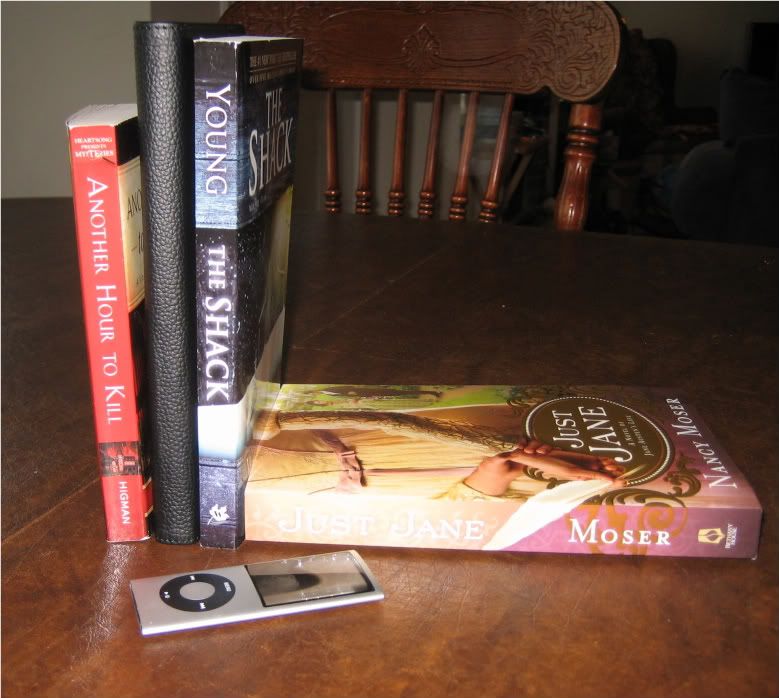
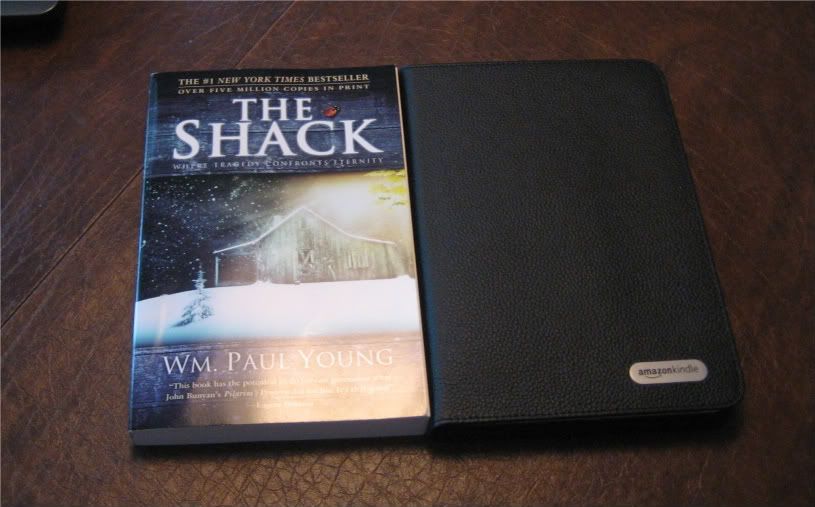
Here you can see even with the added bulk of its padded, protective cover the Kindle is still the size of a paperback book. The cover can fold back to hold easily in one hand, as seen in the photo at the top of this post.
Thursday, April 9, 2009
Kindle Hope
Update: May 08.2009
I did get my Kindle and I blogged about it. Here's the link
http://thefragranthand.blogspot.com/2009/04/love-my-new-kindle.html
I'm hoping to get a Kindle for my birthday... so I've had an eye toward what is available in kindle format for several weeks now in anticipation. I just submitted a suggestion to Rachel Ray's magazine that they should consider a subscription to a Kindle Edition of the magazine. It would be fun to have access to the magazine "on the go" and I suggested that since all the recipes seem to be available online, subscribers could print out any recipes as a hard copy is needed. And since a Kindle version of the magazine would be paperless, it would go along with the magazine's green outlook.
If you're not familiar with The Kindle - it's a device for reading electronic books. The Kindle is to books what the iPod is to music. You could carry a library with you in one device. There are thousands of books available for Kindle as well as many Newspapers and Magazines.


The Kindle is sold only by Amazon but there is now a Kindle application for use with iPhone and iPod Touch.
Here is a link to the Kindle II on Amazon: http://www.amazon.com/Kindle-Amazons-Wireless-Reading-Generation/dp/B00154JDAI/ref=sr_1_1?ie=UTF8&s=electronics&qid=1239308673&sr=1-1
Here is a link to Rachel Ray's Magazine Website: http://www.rachaelraymag.com/
I did get my Kindle and I blogged about it. Here's the link
http://thefragranthand.blogspot.com/2009/04/love-my-new-kindle.html
I'm hoping to get a Kindle for my birthday... so I've had an eye toward what is available in kindle format for several weeks now in anticipation. I just submitted a suggestion to Rachel Ray's magazine that they should consider a subscription to a Kindle Edition of the magazine. It would be fun to have access to the magazine "on the go" and I suggested that since all the recipes seem to be available online, subscribers could print out any recipes as a hard copy is needed. And since a Kindle version of the magazine would be paperless, it would go along with the magazine's green outlook.
If you're not familiar with The Kindle - it's a device for reading electronic books. The Kindle is to books what the iPod is to music. You could carry a library with you in one device. There are thousands of books available for Kindle as well as many Newspapers and Magazines.
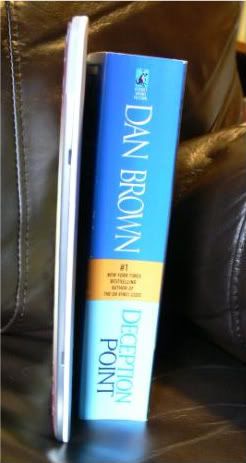
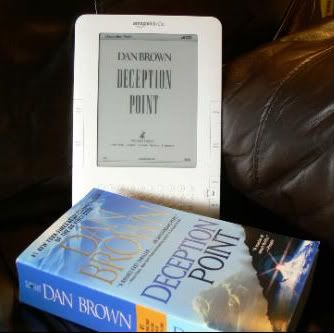
The Kindle is sold only by Amazon but there is now a Kindle application for use with iPhone and iPod Touch.
Here is a link to the Kindle II on Amazon: http://www.amazon.com/Kindle-Amazons-Wireless-Reading-Generation/dp/B00154JDAI/ref=sr_1_1?ie=UTF8&s=electronics&qid=1239308673&sr=1-1
Here is a link to Rachel Ray's Magazine Website: http://www.rachaelraymag.com/
Subscribe to:
Posts (Atom)


 Posts
Posts


